How to Track Keyword Rankings: A Step-by-Step Guide for 2026
TL;DR. To track keyword rankings, pick 20 to 50 target keywords, log their position weekly using Google Search Console plus one rank tracker, and pull the data into a single dashboard so drops, gains and content gaps are easy to spot. The fastest way to consolidate it all is a free DashThis SEO dashboard template, which auto-pulls from 40+ tools.
What is keyword rank tracking?
Keyword rank tracking is the ongoing practice of recording where a website appears on search engines for a defined set of target keywords, and watching how those positions change over time. It tells you which queries drive traffic, when rankings drop, and which pages need a refresh.
In an ideal world, your site sits in the top 3 results for every keyword that matters to your brand. In the real world, positions shift weekly because of algorithm updates, new competitors, AI Overviews and seasonality.
Rank tracking is what turns those shifts into something you can act on.
Why monitor keyword rankings?
There are four reasons keyword tracking is worth doing often:
- Spot ranking drops early. A page that slips from position 3 to position 8 can lose 60% of its traffic overnight. Catching the drop in week one beats catching it in month three.
- Find content refresh opportunities. Keywords stuck on page 2 (positions 11 to 20) are the highest-leverage refresh targets. Small content updates often push them onto page 1.
- Track competitor moves. When a competitor jumps you on a money keyword, rank data shows it the same week. You can respond with content, links or a SERP feature play.
- Prove SEO ROI. Rank changes feed directly into traffic, leads and revenue. A monthly SEO report connects ranking gains to the business outcomes your CFO actually cares about.
How to track keyword rankings in 4 steps
Step 1. Choose your target keywords
Start with 20 to 50 keywords across three buckets:
- Brand: your company name and product names.
- Money: commercial queries that convert (for example "free SEO reporting tool" if you sell a reporting tool).
- Topical: informational queries that build authority and feed top-of-funnel traffic.
If you're stuck for ideas, drop a competitor's domain into Ahrefs or Semrush, sort by traffic, and pull the top 50 keywords they rank for that you don't. That list is your starting point.
Step 2. Pick a rank tracker plus Google Search Console
Use two sources, not one:
- Google Search Console for first-party data (exact clicks, impressions, CTR, average position).
- A third-party rank tracker (Ahrefs, Semrush, Keyword.com, etc.) for daily refreshes, AI Overview tracking, local zip-code accuracy and competitor benchmarking.
GSC alone is free but it averages position over 28 days and misses AI Overview citations. A dedicated tracker fills the gap.
Step 3. Set your tracking cadence
- Daily: high-stakes commercial keywords, during a Google update, or right after a content launch.
- Weekly: the default for most pages.
- Monthly: evergreen content with stable rankings.
Set up email or Slack alerts for any keyword that moves more than 3 positions in either direction.
Step 4. Pull everything into one dashboard
Logging into 4 tools every Monday is how reporting dies. Connect every keyword source (GSC, Ahrefs, Semrush, Keyword.com, GA4) into one SEO keyword ranking report so the whole team sees the same numbers.
A good keyword tracking dashboard should answer five questions at a glance:
- Which keywords moved up or down this week?
- Which pages drive the most clicks from search?
- Where are we vs. our top three competitors?
- Which top 20 opportunities are within striking distance of page 1?
- Are AI Overviews citing us, citing competitors, or showing for our queries at all?
The 8 best keyword rank tracking tools in 2026
Each tool below does keyword rank tracking, but they're built for different jobs. Use the table to shortlist, then read below for context.
| Tool | Best for | Free tier | Standout feature | Connects to DashThis |
|---|---|---|---|---|
| Google Search Console | First-party rank data from Google | Yes | Exact clicks - impressions - CTR - position | ✅ |
| Ahrefs | Competitor keyword discovery | No | Keywords Explorer - SERP overview - AI Overview tracking | ✅ |
| Semrush | All-in-one SEO suite | Limited | Position Tracking with daily updates and SERP features | ✅ |
| Keyword.com | Daily rank tracking with local accuracy | No | Zip-code level tracking - AI Overview tracking - real-time reports | ✅ |
| Ubersuggest | Beginners on a budget | Yes | Keyword and content ideas | No |
| Conductor (formerly SearchMetrics) | Enterprise SEO and content | No | Visibility scoring across markets | No |
| WebCEO | Agency rank reporting | Limited | White-label rank tracking | ✅ |
| Google Trends | Topic momentum - not rank | Yes | Relative search interest over time | No |
1. Google Search Console

The only tool that shows your exact clicks, impressions and average position straight from Google. Every site should have it set up. The blind spot: position is averaged over 28 days, so daily moves and AI Overview citations are invisible.
Connect Google Search Console to DashThis to layer GSC data alongside GA4, paid search and social in one report.
2. Ahrefs
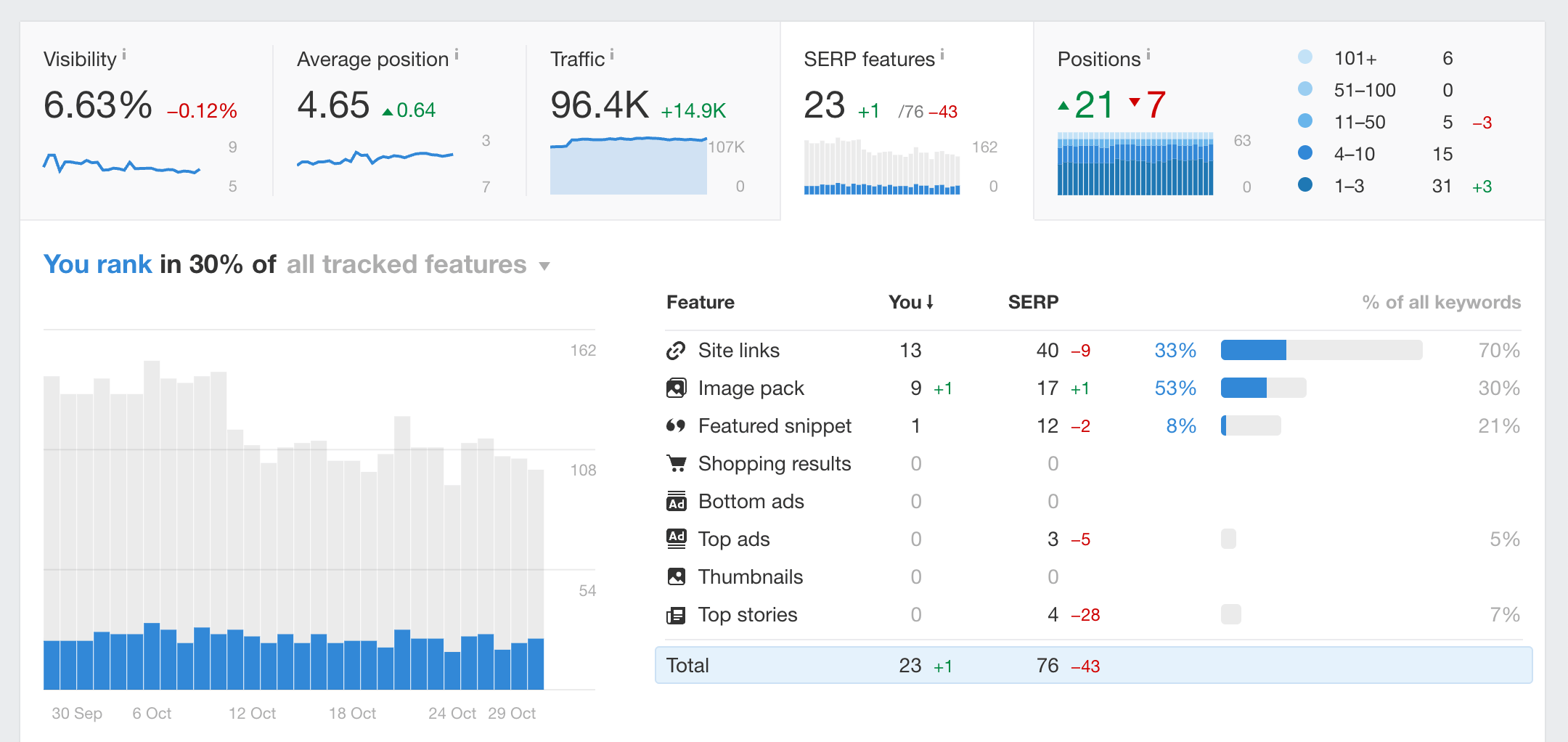
Ahrefs is the heavyweight for competitor research. Drop a domain into Site Explorer and you'll see every keyword it ranks for, with position, volume and traffic estimate. Keywords Explorer is excellent for clustering long-tail variants around a head term. Their Rank Tracker also flags AI Overview presence for tracked keywords.
3. Semrush
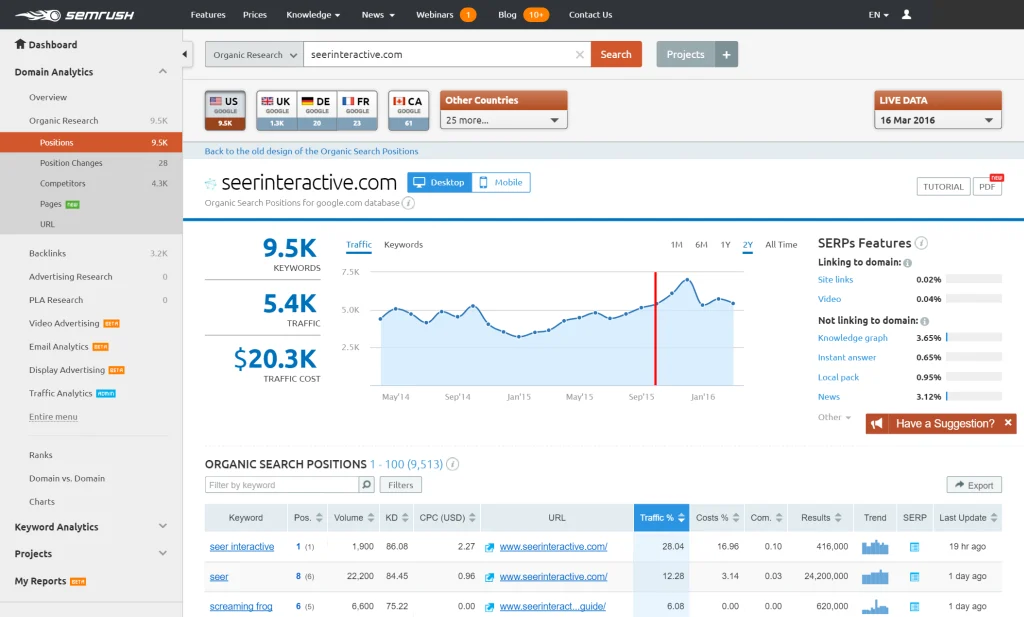
Semrush covers similar ground to Ahrefs with a stronger paid-search and content-tooling layer. Position Tracking refreshes daily and benchmarks you against up to 20 competitors. The Sensor tool is useful for spotting Google volatility before your own rankings move.
4. Keyword.com
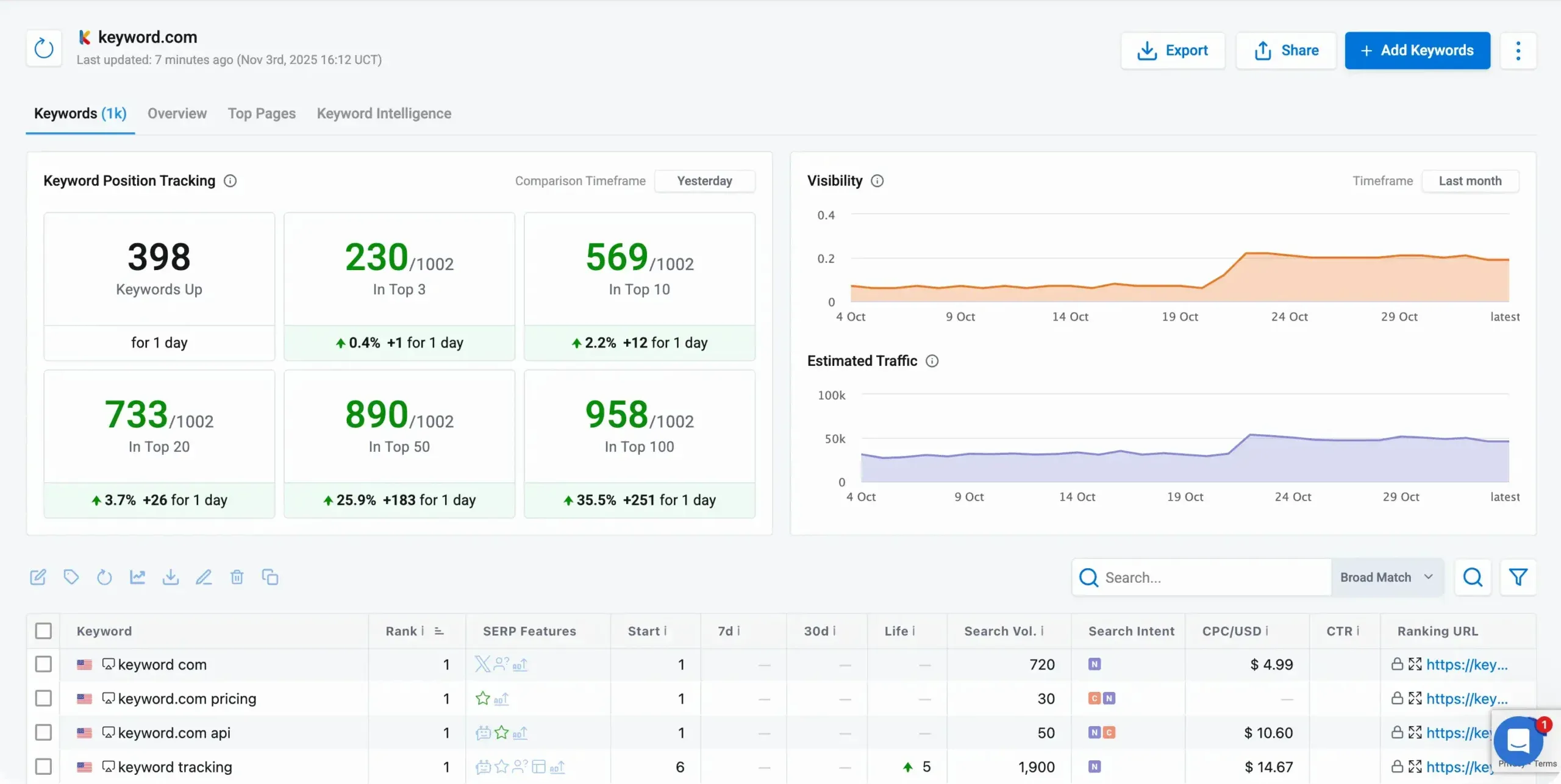
Keyword.com is a focused rank tracker rather than a full SEO suite. It tracks rankings on Google and AI Overviews with daily refreshes and zip-code level accuracy, which makes it strong for local SEO and Google Business Profile work. The Keyword.com integration with DashThis makes it easy to pipe rank data into a wider marketing report.
5. Ubersuggest
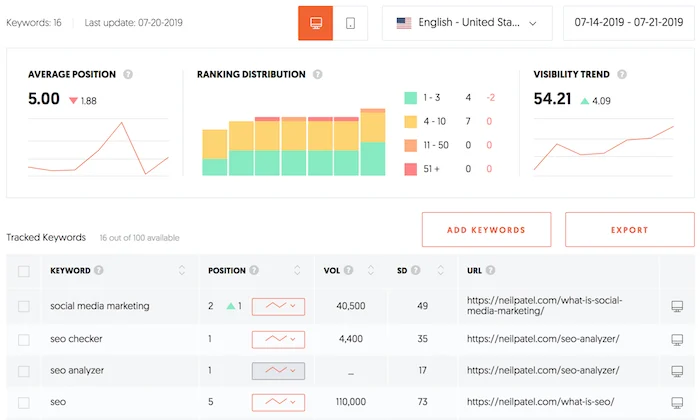
Ubersuggest is the most accessible option in the list. It surfaces keyword volume, difficulty and content ideas, with a generous free tier. Best fit for solo marketers, small business owners and anyone running their first SEO project.
6. Conductor (formerly SearchMetrics)
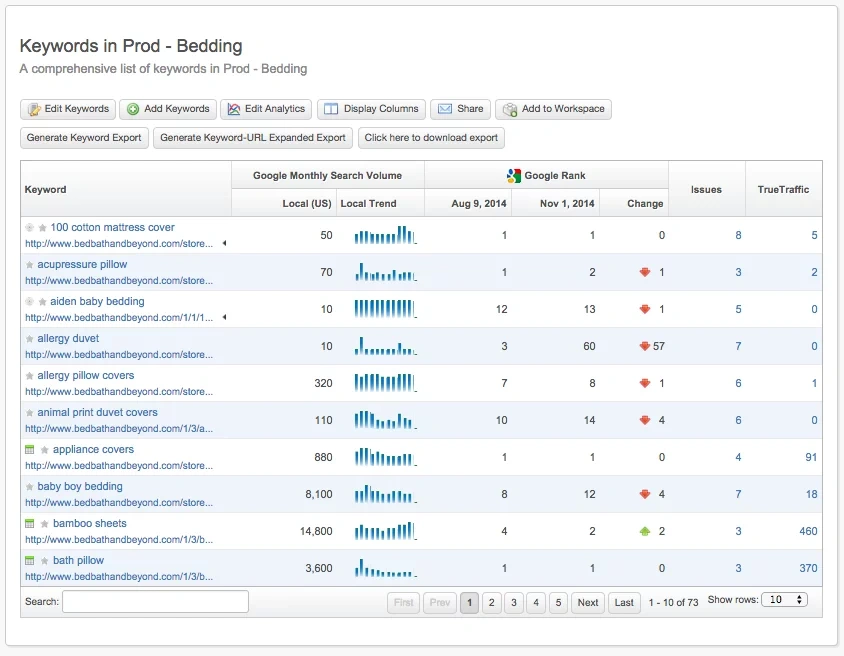
Conductor is enterprise-tier SEO and content optimisation software. Strong reporting on visibility across markets and segments. Pricing reflects that, so smaller teams will get more out of Ahrefs or Semrush.
7. WebCEO
WebCEO is built for agencies. White-label rank tracking, scheduled reports and 20+ tools under one login. The WebCEO integration with DashThis lets agencies bundle rank data into client-branded marketing reports.
8. Google Trends
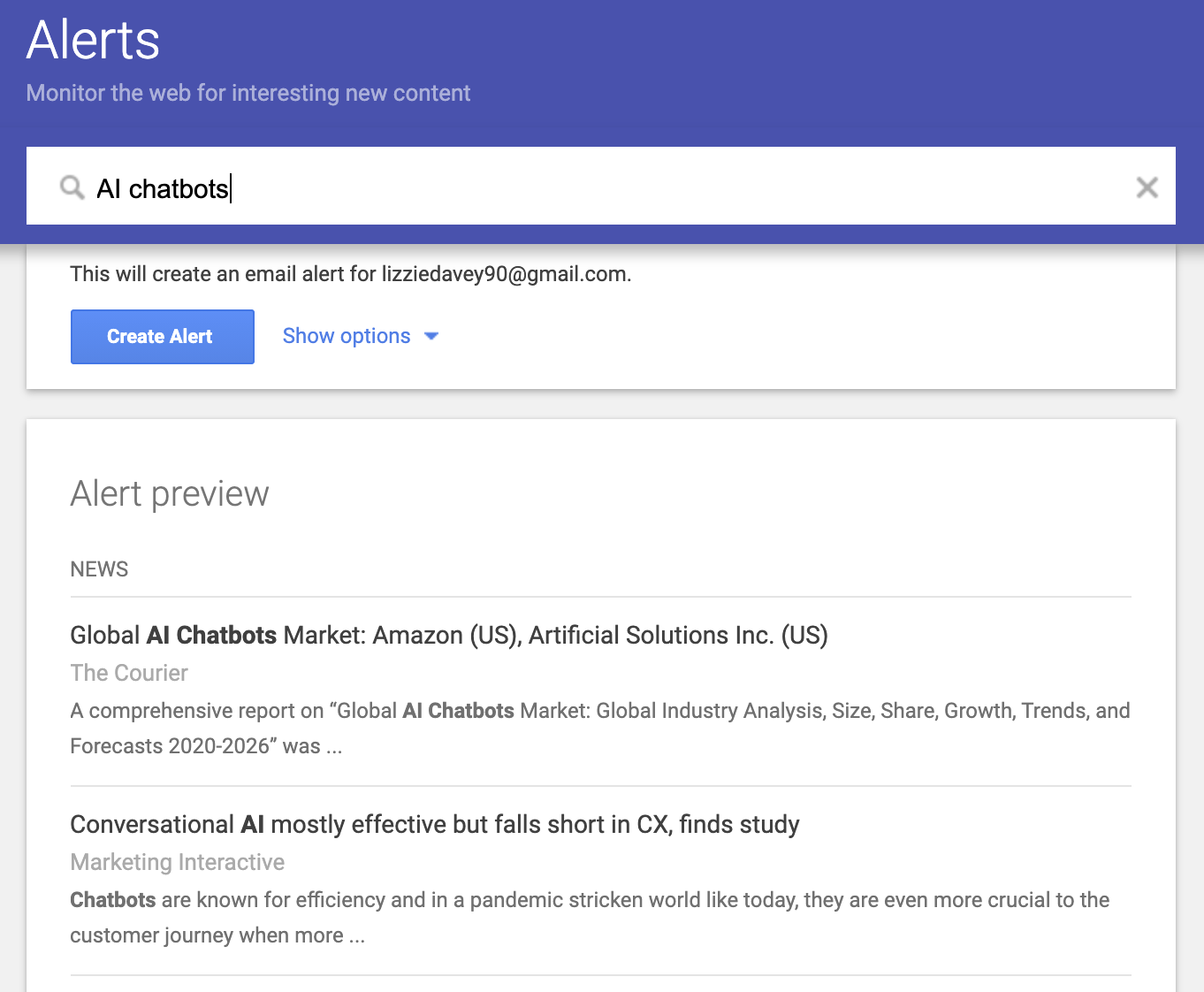
Google Trends doesn't show your rankings. It shows relative search interest over time, which is the missing context for any rank tracking exercise. If a keyword's volume is collapsing, ranking #1 doesn't help. Check Trends before you commit content resources.
Connect any of these tools to a single DashThis dashboard. Start your free 15-day trial, no credit card needed.
How to build a keyword tracking dashboard with DashThis
A good rank tracking workflow ends in a single dashboard the whole team can read. Here's how to build one in DashThis in under 10 minutes.

-
1Connect your sources
Plug in Google Search Console, your rank tracker (Ahrefs, Semrush, Keyword.com, etc.) and GA4. DashThis has 40+ native integrations, no SQL or scripts needed.
-
2Pick a preset
Start from the SEO dashboard template instead of a blank canvas. It already includes top keywords, ranking distribution, click-through rate, page-level performance and competitor benchmarks.
-
3Drag in the widgets you actually need
Average position by keyword, top 10 movers, striking-distance keywords (positions 11 to 20), top landing pages from organic search and AI Overview citations.
-
4Set the schedule
Weekly auto-send to your team Slack channel and a monthly client-facing PDF. Once it's set up, the report writes itself.
That's it. The dashboard becomes your single source of truth for keyword performance, which is the entire point of rank tracking.
Keyword tracking best practices
Five things experienced SEO teams do that beginners often miss:
- Track share of voice, not just rank. Average position alone hides competitor pressure. Share of voice across your full keyword set is a more honest signal of SEO health.
- Segment keywords by intent. Rank changes on commercial keywords matter more than on informational ones. Tag every tracked keyword as informational, commercial or transactional, and report on each separately.
- Track AI Overview citations. AI Overviews now appear on most "how to" and "best X" queries. Being cited inside the AI Overview matters as much as ranking #1 below it.
- Watch striking-distance keywords. Positions 11 to 20 are page 2. A small content refresh often pushes them onto page 1, where 90% of traffic happens. Build a dedicated widget for this segment.
- Set alerts, don't rely on memory. Configure alerts for any keyword that moves more than 3 positions, any new keyword entering the top 10, and any page that drops out of the top 20. Email, Slack, whatever your team reads.
Start tracking your keyword rankings today
You now have the four-step process, the eight tools that matter, the dashboard structure, the best practices and the answers to the questions everyone asks. The only thing left is to set it up.
DashThis is the reporting layer that pulls every rank tracker, GSC, GA4 and your paid channels into one dashboard the whole team can read. Build your first keyword tracking dashboard in under 5 minutes.
Ready to start monitoring keyword rankings to improve your SEO efforts? You’re in luck! You can do it right now with our free 15-day trial.

Read More
Don’t miss out!
Follow us on social media to stay tuned!


Automate your reports!
Bring all your marketing data into one automated report.
Try dashthis for free